Your AI Agent's Tools Need a Firewall
I built a small proxy that puts hard limits, approval prompts, and an audit log between an AI assistant and every tool it can touch. Here's why, and how it works.
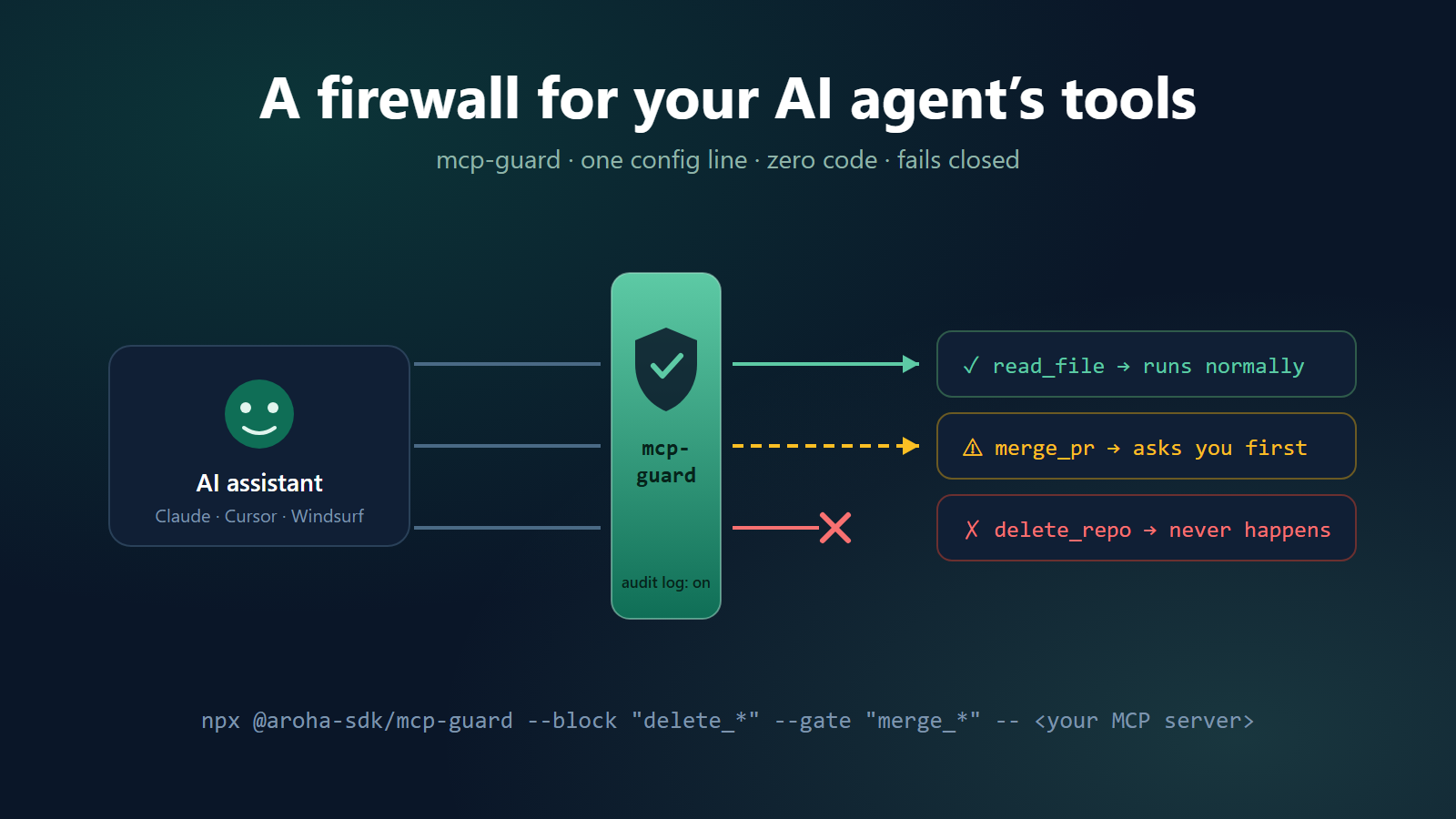
There's a story on this site about a startup whose research agent ran up $47,000 over a weekend. Six sub-agents, seven APIs in a loop, zero authorizations. I keep telling it because every time I do, someone who runs agents in production doesn't ask “how is that possible?” They tell me their own version. Smaller numbers, usually. Same shape, always.
The thing that took me embarrassingly long to accept is that nothing in these stories is a malfunction. The API key worked as designed. The agent worked as designed. OAuth, API keys, rate limits — all of it was built for applications, which do the same thing every time you run them. An agent is a loop that decides what to do next at runtime. Sometimes what it decides is wrong. Sometimes it's a prompt injection buried in a web page the agent just read. The key doesn't care. Keys say yes.
The part MCP didn't solve (and wasn't trying to)
If you use Claude Desktop or Cursor, your assistant probably reaches its tools through MCP. MCP deserves its win — one config block and your assistant can drive GitHub, your filesystem, your database. But it's a connection standard. Connect the GitHub server and your assistant gets everything that server exposes, including delete_repository. Between the model and that call sits exactly one safeguard: the model's judgment.
I've watched an agent “helpfully” clean up files it decided were redundant. I've watched one retry a failed call fifteen times because retrying felt productive. The model isn't malicious. It's just an unbounded actor holding irreversible tools, and no amount of system-prompt pleading changes that.
So I built the boring thing
mcp-guard is a proxy. It sits between your assistant and any MCP server, and it enforces rules. Neither side needs changes; the server never knows it's there. Here's my actual GitHub config:
{
  "mcpServers": {
    "github": {
      "command": "npx",
      "args": ["-y", "@aroha-sdk/mcp-guard",
               "--block", "delete_*",
               "--gate",  "merge_*,create_repository",
               "--limit", "create_*:10",
               "--",
               "npx", "-y", "@modelcontextprotocol/server-github"]
    }
  }
}
Everything after the -- is the original server command, untouched. Works in anything that speaks MCP over stdio.
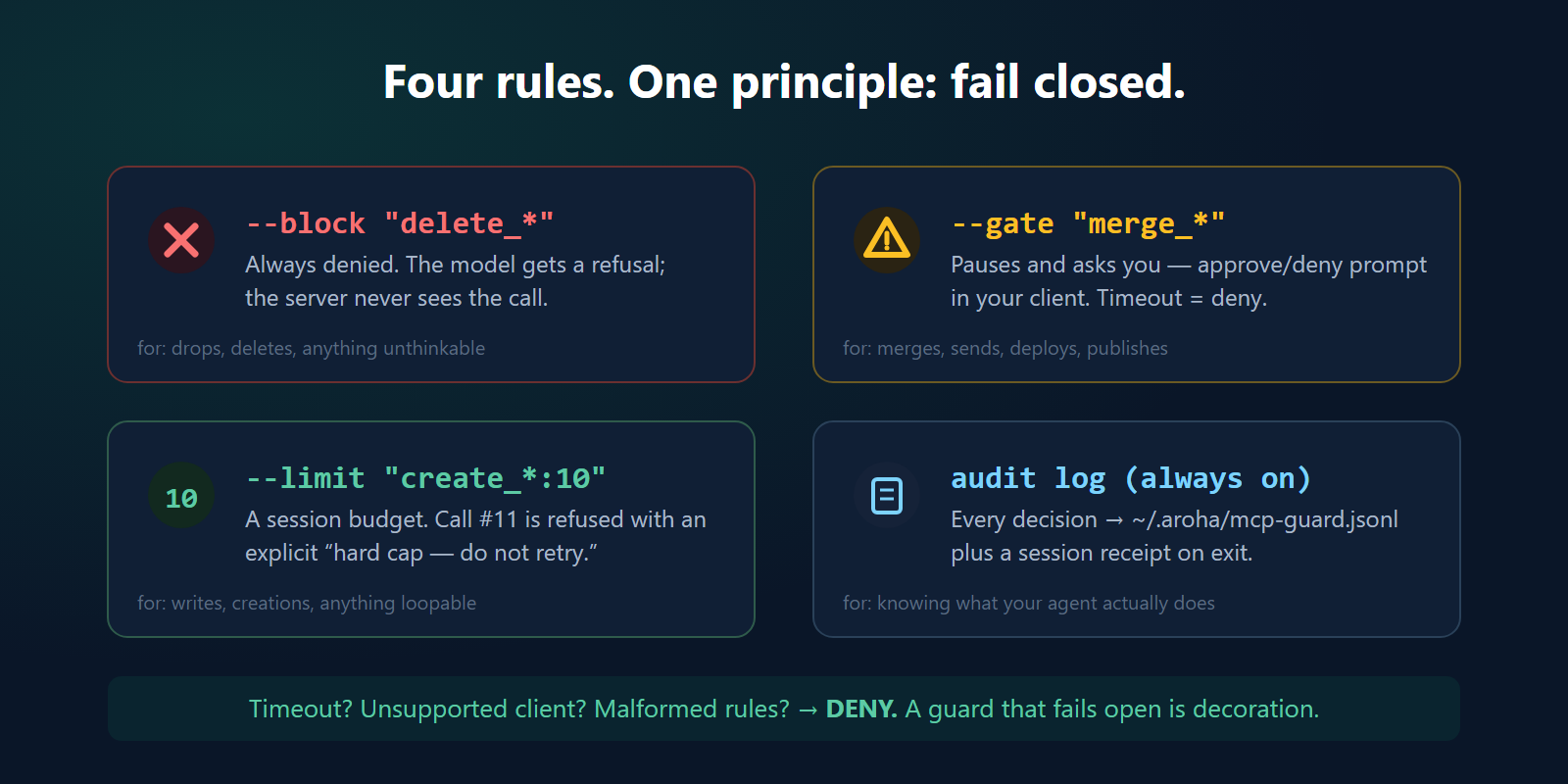
What those flags do: --block means delete operations never happen, full stop — the model gets a polite refusal and the server never sees the call. --gate means merges pause and ask me, with the tool name and arguments in an approval prompt. --limit is the one I underestimated: it caps a tool at N calls per session, and the denial message explicitly says “hard cap, do not retry” — because I learned the hard way that agents read generic errors as transient and just… try again. And everything gets logged to a JSONL file, which is honestly the feature I use most. A week of audit log will teach you things about your agent you did not want to know.
One design rule
Every ambiguous situation resolves to deny. Approval times out? Deny. The client doesn't support approval prompts? Deny. You typo'd a rule? It refuses to start.
I'm a little dogmatic about this because most of what passes for agent safety right now is a system prompt asking nicely — which fails open by construction, and fails open at precisely the moment something unexpected happens. Which is the only moment you needed it.
What it doesn't do
Fair warning about the limits, because I'd rather you hit them knowingly. The rules are glob patterns, scoped to one session, on one machine. They protect you from your own agent's tools. They cannot express “I authorize this agent to spend $500 on my behalf, and anyone in the chain can verify that.” That needs signed, delegable authority — cryptographic mandates — which is the deeper layer I'm building, and a story for another post. mcp-guard doesn't require any of it. It's a standalone tool, zero dependencies, MIT.
Try it
Pick whichever MCP server you'd least like to see improvise — for me it was GitHub — and wrap it. Or start with no rules at all and just let the audit log run for a week:
npx @aroha-sdk/mcp-guard --helpPackage: @aroha-sdk/mcp-guard · Docs: aroha-labs.com/docs/mcp-guard
Your intern doesn't get a company card with no limit. I stopped giving my agent one too.